Some people are reluctant updaters. Perhaps they have an “if ain’t broke, don’t fix it” mentality, or they dislike the idea of forced downtime if there isn’t going to be a huge improvement. Still other people have a distrust of what tech companies have planned — which is kind of paradoxical, since of course you wouldn’t be facing this sort of dilemma if you hadn’t bought that smartphone or laptop from them.
The truth is that most software updates are not only safe and quick, but boring. They’re meant to fix bugs and security vulnerabilities that most users will never see, or add minor features, unless it’s an annual refresh. On a smart TV, though, there are legitimate reasons to hesitate about pulling the trigger, some of which will seem obvious when you think about them for a second. Others may be new considerations, particularly if you’re not as exposed to the industry as us tech journalists.
Complicating a simple machine
How much is there to be gained?
When you buy a phone, tablet, or laptop, it’s pretty much taken for granted that you’ll need to update it before you use it, unless you’re picking it up on launch day or shortly thereafter. All three of those devices are not only advanced computers, but ones meant to interact with the broader internet. There’s just too much that can go wrong, whether it’s a malware infection or incompatibility with the latest apps and accessories.
Conversely, TVs are meant to be dead simple, even smart ones. They do need to download apps, stream audio and video, and connect to your smart home ecosystem if you have one, but that’s about it. In many cases it’s possible to hook up a TV and start streaming without thinking twice about what version its operating system is on. If you plug in a game console or a third-party media streamer, you may not see your TV’s homescreen again for years.
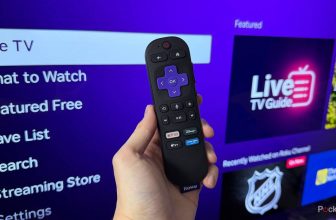
There’s often little reason to bother with more than updating apps. It’s not like a Google TV or Roku OS update is suddenly going to enable new health-tracking features.
That means there’s often little reason to bother with more than updating apps. It’s not like a Google TV or Roku OS update is suddenly going to enable new health-tracking features, or make it easier to navigate to work — things you might legitimately expect from an iPhone or Android update.
Smart TVs aren’t even huge security risks. The threat isn’t zero, but there isn’t much to be gained from attacking a TV directly. It might become a stepping stone to the rest of your network, at worst. Whereas I’d be scared to go online with a PC that hadn’t been updated in six months, you could go years between TV updates without trouble.
Updates can actually make things worse
Ads, UI changes, and performance problems, oh my

One of the biggest issues at the moment is that platform holders don’t treat your TV as a personal launchpad — they treat it as a video billboard. There’s a lot of money to be made from putting ads in front of you, no matter if you always ignore them on the way to opening Netflix or YouTube. While things seem to have settled down in recent times, past changes have occasionally made TVs more irritating by shoving in more and bigger ads.
Something to be especially concerned about is a technology called ACR, short for Automatic Content Recognition. This is spyware, effectively. It analyzes whatever’s onscreen for the purposes of ad targeting — regardless of which input it’s coming from. So even if you’re playing a console game, or working on a connected PC, marketers may be getting an (anonymized) glimpse into your habits. I’d go so far as arguing that this practice should be illegal.
It’s possible to disable ACR if it’s active on your TV, and it’s unlikely that an update will add it or switch it back on. But I can’t rule that out completely, so it’s honestly worth checking with news sites and online chatter if you’re worried an update might compromise your privacy.
There’s a lot of money to be made from putting ads in front of you, no matter if you always ignore them on the way to opening Netflix or YouTube.
Relatively well-meaning updates can cause problems, sometimes. The prime example of this is a cosmetic face-lift, or a new function, like Google Gemini commands. These are usually welcome — but if your TV is several years old, these additions can actually slow down a TV’s interface, since it’s not like TV makers are investing in desktop-level processors. If this does happen, you may be forced to buy an add-on streamer if you want to avoid maddening scrolling delays and/or lengthy app loads.
For some people, their nemesis is the interface redesign. I’ve been using digital devices since I was six, so I’m relatively comfortable learning new menus. Other people detest the idea, however, and I understand that within the context of a TV. A TV is supposed to be a dead simple product, as I said a minute ago. Rearranging familiar menus can turn intuitive actions into counter-intuitive ones, sometimes in a way that can never be fully normalized. You’ll probably need to adapt eventually unless you switch to a different platform — but you may be able to hold on to your cherished menus if you can avoid updating.
In very rare circumstances, an update might break something, creating glitches where there weren’t any before. The worst-case scenario is a bug that bricks your set — but less dramatic ones might for instance cause slowdowns, interfere with Wi-Fi connections, or trigger occasional crashes. You may have little alternative but to perform a factory reset. If an update accidentally reverts your preferences, you could be forced to spend the next 15 minutes in the Settings app putting everything back the way you had it.
Does this mean I shouldn’t update my TV at all?
Let’s not be become hypochondriacs, either

All of this sounds pretty dire, so I should rephrase what I said in my intro. Most software updates — including ones for smart TVs — are not only safe and quick, but boring. I’ve updated my Hisense U68KM once or twice so far without any repercussions. In fact it doesn’t appear like anything meaningful has changed, and nothing was wrong in the first place, so far as I can tell.
If there’s any room for doubt and your TV’s not misbehaving, just hold off. There’s no critical incentive to update ASAP.
Realistically, you could probably install a dozen updates on your TV and never deal with any of the negative consequences I’ve talked about. What I’m really advocating for is that you scan any release notes before you download an update, and if those aren’t available, check what other owners of your model are saying. If there’s any room for doubt and your TV’s not misbehaving, just hold off — there’s no critical incentive to update ASAP as long as your general internet security is in order.
Trending Products

Zalman P10 Micro ATX Case, MATX PC Case with 120mm ARGB Fan Pre-Put in, Panoramic View Tempered Glass Entrance & Aspect Panel, USB Sort C and USB 3.0, White


Wireless Keyboard and Mouse, Ergonomic Keyboard Mouse – RGB Backlit, Rechargeable, Quiet, with Phone Holder, Wrist Rest, Lighted Mac Keyboard and Mouse Combo, for Mac, Windows, Laptop, PC

Nimo 15.6 FHD Pupil Laptop computer, 16GB RAM, 1TB SSD, Intel Pentium Quad-Core N100 (Beat to i3-1115G4, As much as 3.4GHz), Backlit Keyboard, Fingerprint, 2 Years Guarantee, 90 Days Return, WiFi 6, Win 11

Dell S2722DGM Curved Gaming Monitor – 27-inch QHD (2560 x 1440) 1500R Curved Display, 165Hz Refresh Rate (DisplayPort), HDMI/DisplayPort Connectivity, Height/Tilt Adjustability – Black

GIM Micro ATX PC Case with 2 Tempered Glass Panels Mini Tower Gaming PC Case Micro ATX Case with 2 Magnet Mud Filters, Gaming Pc Case with USB3.0 I/O Port, Black with out Followers