It may have taken Apple quite a long time to bring home screen widgets to the iPad, but, now that it has, third-party developers have been flexing their collective creative muscle on the iPadOS platform front.
These days, there’s a massive array of well-designed home screen widgets to choose from, all of which can be downloaded in app form directly from the App Store. Many of the best iPad widgets are highly dynamic in nature, with fluid animations, customizable layouts, native resizability, and interactability.
Here are eight of my personal favorite iPadOS widgets, each of which has earned a permanent place on my iPad mini 6’s home screen setup. All listed widgets are free to get started with and offer several basic functionalities, and all feature an optional in-app purchase or recurring subscription plan for unlocking additional customization options.
Note that while some of the widget applications featured on this list are primarily designed for iPhone / iOS, all included entries work precisely as intended on iPad / iPadOS.
Hands Time
One of the best clock widget apps, hands down
Hands Time offers a carefully curated selection of watch faces and timekeeping designs, all of which can be dialed-in in terms of look and feel. There are options to show or hide seconds, add background images or colors, blur the background, and more. The only downside with Hands Time’s widgets are that they’re only available in the system small size class, with no ability to scale them up to medium, large, extra large, or extra large portrait. Nevertheless, the included designs are aesthetically pleasing and fluidly animated, which makes them stand apart in the crowded clock widget market.

I love the idea of sending personal, transient photos to close friends or loved ones, but I don’t love Snapchat’s cluttered user interface, poor privacy track record, or push towards short-form video content. Instead, I rely on Locket Widget for a frictionless photo snapping and sharing experience, with images appearing right on my home screen and updating dynamically. There are alternative apps that offer much of the same functionality — including noteit and BeReal — but I find Locket to offer an ideal balance between utility and simplicity.
Left
Visualize countdowns the dot matrix style

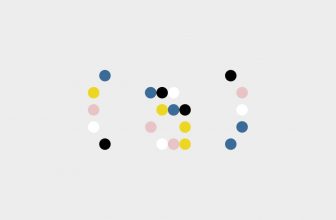
Left is a well-designed countdown widget that embraces a dot matrix aesthetic. Foreground and background colors can be tweaked to your liking, and there are options to display the progression of time across the current year, month, week, and day. Other functions include the ability to count down to a specific day, to switch from dots to other symbols, and even to view a countdown of your estimated life expectancy based on your birth month and year (this last one is a utility I actively avoid using on my own home screen).
Cute 8-bit retro charm in widget form

Pixel Pals is a charming retro-inspired widget app with an 8-bit video game aesthetic. The app offers a large catalog of widgets to choose from, including the time, the date, the weather, calendars, quotes, battery levels, and more. There are a variety of pixelated animals that you can select to display right on each widget, which adds a burst of character to the entire experience. As an added bonus, there are even gameplay-esque widgets thrown into the mix for good measure, such as a fidget spinner, the 2048 puzzle game, trivia, and even Tamagatchi-inspired pal mini-games.
Dumb Phone (dp)
Launch your apps without any distractions

Over in the Android world, we’re spoiled for options when it comes to minimalistic home screen launchers. Off the top of my head, Olauncher and Niagara Launcher spring to mind, but there are plenty of other options to choose from. On Apple devices, the choices are more limited, but one crafty developer has managed to emulate the text-based app launching experience through the use of widgets. Dumb Phone (dp) ships with a barebones design by default, allowing you to set app shortcuts that appear on-screen as text. Of course, you can customize colors and fonts to your liking, but all included options lean towards digital minimalism and aim to reduce distraction.
For more information on how to turn your iDevice into a ‘dumb phone,’ check out my colleague’s dedicated guide on the subject right here on Pocket-lint.
McClockface — Flip Clock
A high-quality timekeeping experience

The McClockface app offers one of my absolute favorite selection of timekeeping widgets for iPad. The main attraction is a smoothly animated flip clock that harkins back to the days of HTC Sense, but various other stylized options are also included out of the box. There’s also a retro Mac-inspired coloring option that can be toggled on, which adds Apple’s signature rainbow coloring from back in the day. With extra large widget sizing options natively supported, McClockface makes for an excellent digital timepiece on iPad.
Festivitas
Celebrate holidays in the festive widget way

Not to be confused with the macOS utility that adds lights and snowfall to your desktop, the mobile Festivas app is designed to inject some festive spirit into your mobile setup. The basic setup here is a string of lights that surround the perimeter of the widget, with the option to add text or emoji to the middle section. Colors, text, and color patterns are highly customizable, and it’s easy to adjust cable thickness, drop width, and drop height, too. A countdown tool is built into the widget and can be optionally enabled, but even with it switched off, crafted widgets are delightfully cozy and holiday-inspired.
Digital post-in notes on your home screen

Sticky notes work perfectly well in the physical world, and they’ve survived the transition over to desktop platforms like macOS and Windows with relative grace. Over on the mobile side of things, however, there are fewer options out there, as windowing support is still up-and-coming across iPadOS and Android. Sticky Widgets makes use of Apple’s widgets system to provide convenient access to notes, without the need to install a full-featured note-taking application in the process. Sticky Widgets is simple, sweet, and effective, just like the post-it notes of my childhood were.
Trending Products

Zalman P10 Micro ATX Case, MATX PC Case with 120mm ARGB Fan Pre-Put in, Panoramic View Tempered Glass Entrance & Aspect Panel, USB Sort C and USB 3.0, White


Wireless Keyboard and Mouse, Ergonomic Keyboard Mouse – RGB Backlit, Rechargeable, Quiet, with Phone Holder, Wrist Rest, Lighted Mac Keyboard and Mouse Combo, for Mac, Windows, Laptop, PC

Nimo 15.6 FHD Pupil Laptop computer, 16GB RAM, 1TB SSD, Intel Pentium Quad-Core N100 (Beat to i3-1115G4, As much as 3.4GHz), Backlit Keyboard, Fingerprint, 2 Years Guarantee, 90 Days Return, WiFi 6, Win 11

Dell S2722DGM Curved Gaming Monitor – 27-inch QHD (2560 x 1440) 1500R Curved Display, 165Hz Refresh Rate (DisplayPort), HDMI/DisplayPort Connectivity, Height/Tilt Adjustability – Black

GIM Micro ATX PC Case with 2 Tempered Glass Panels Mini Tower Gaming PC Case Micro ATX Case with 2 Magnet Mud Filters, Gaming Pc Case with USB3.0 I/O Port, Black with out Followers